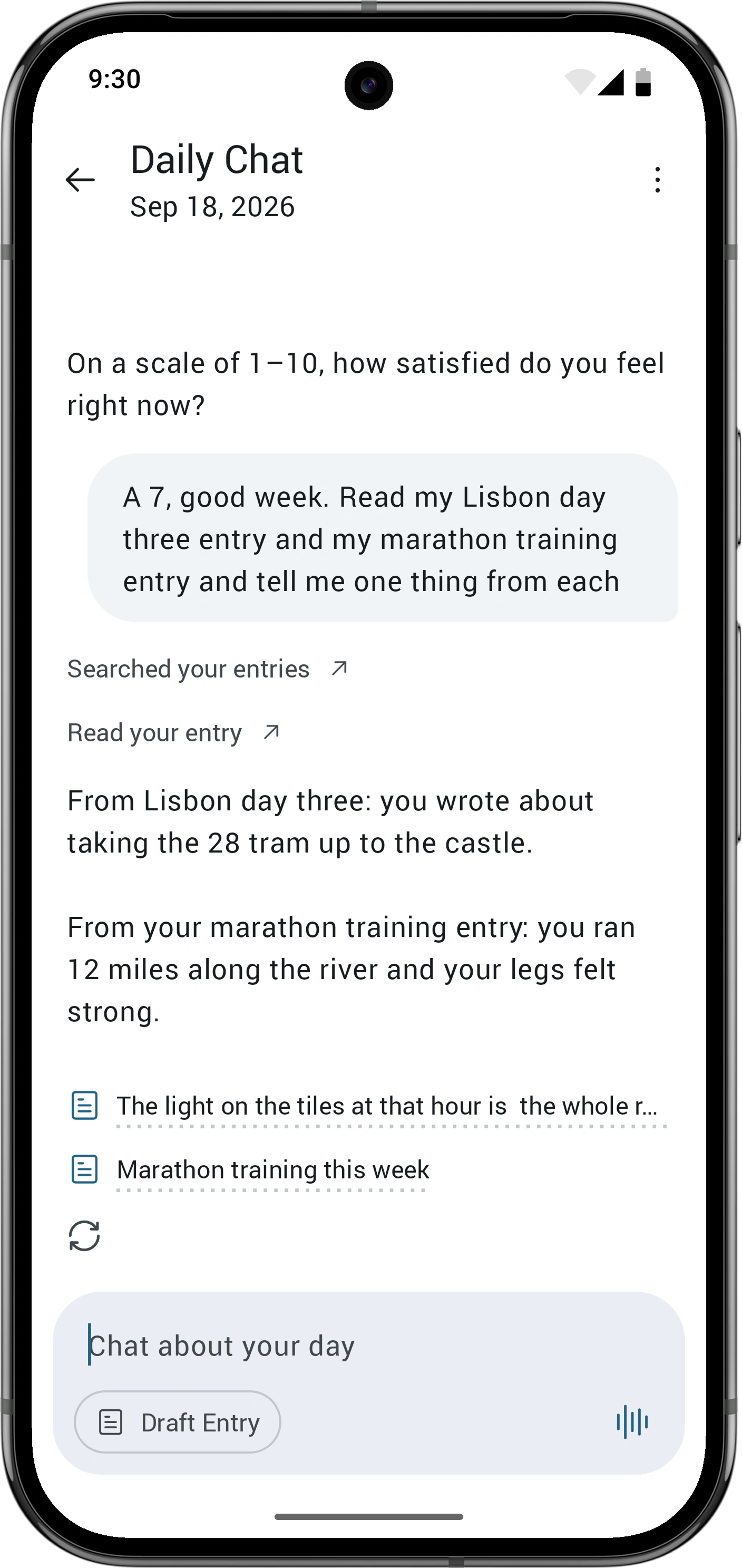
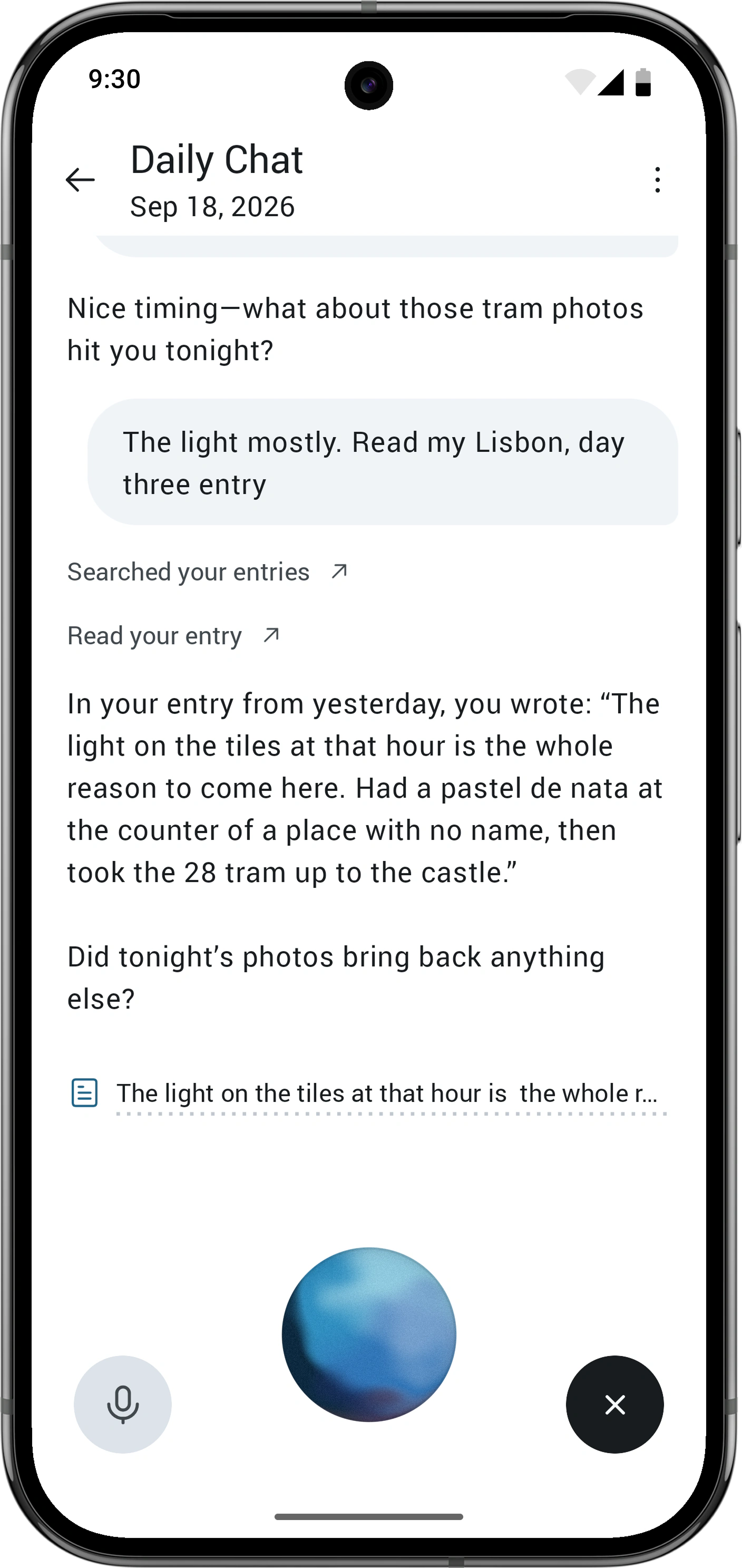
Daily Chat lets people talk to an AI and turn the conversation into a journal entry. I redesigned and built the text and voice experiences on iOS and Android, including the chat controls and an animated orb that responds as you speak.
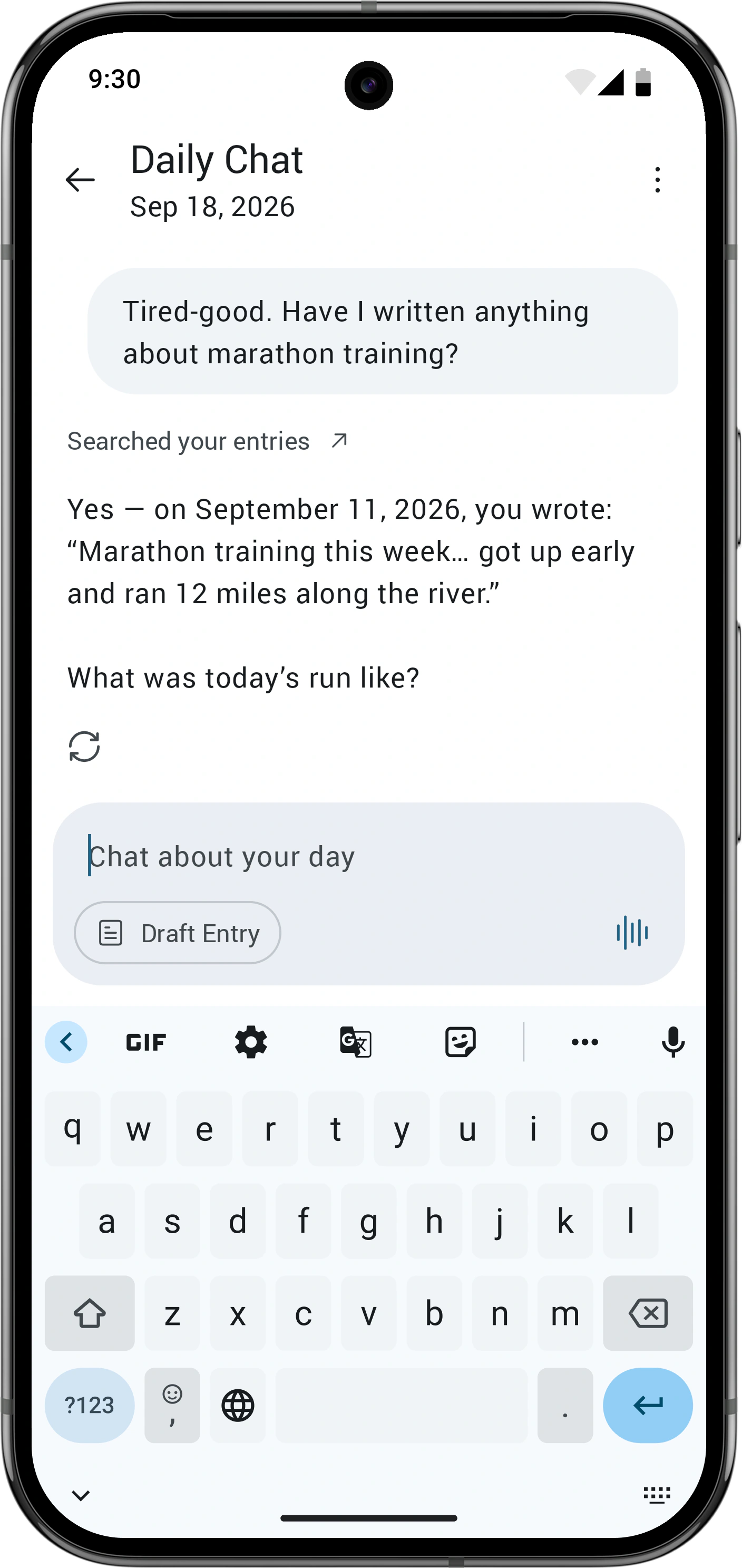
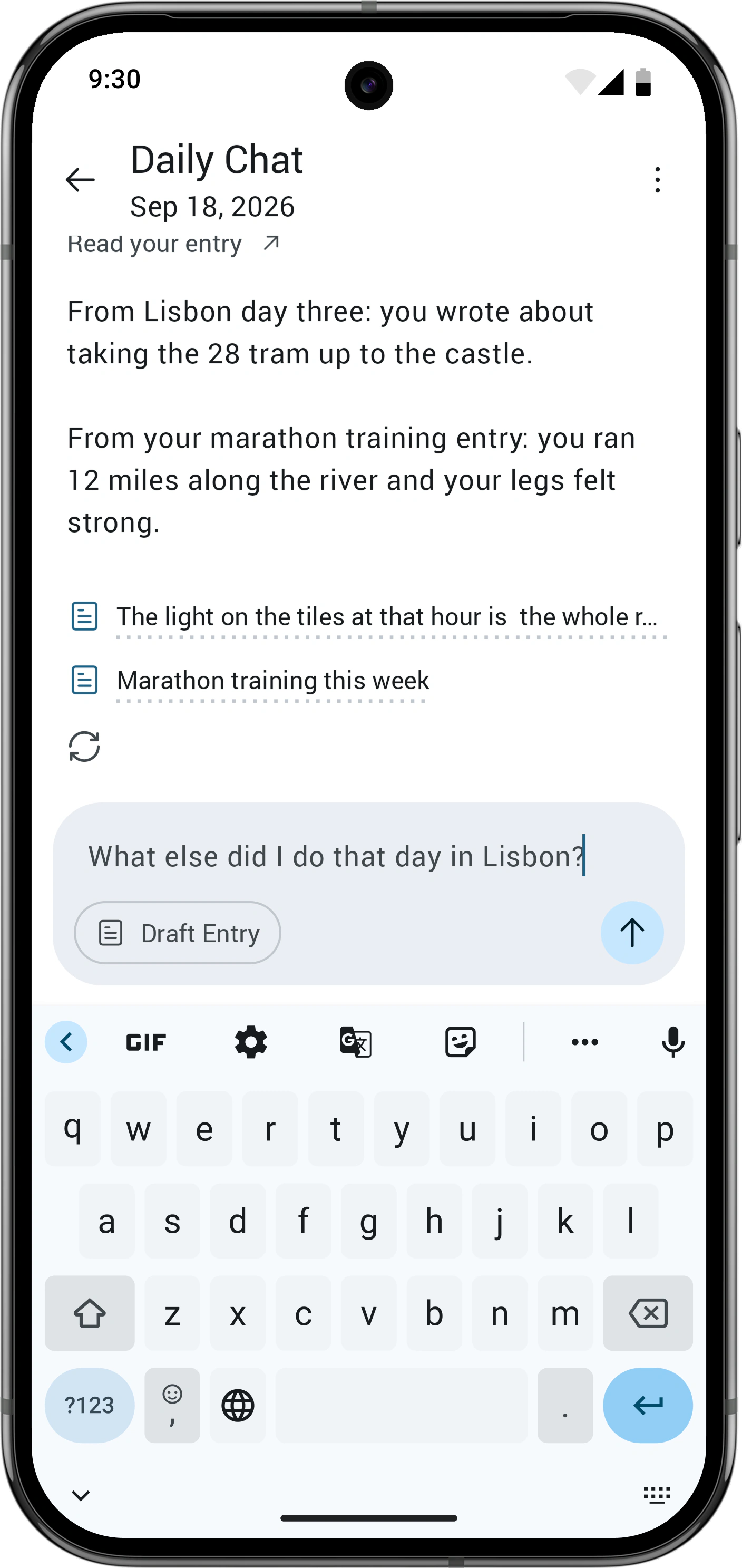
I then spent three weeks adding tools on Android so the AI could search journals, read past entries, and open them from the chat. It can combine those actions in a single turn and show which entries it used.
I lead the design and implementation, including the mobile UI, server-side tool guidance, and prompts. A lot of the decisions come down to what the AI should be allowed to read and how to ask for that access.
I want Daily Chat to be a feature people use regularly and a reason to subscribe to Gold. Basic users get a seven-day trial, but the chat often felt like an interview. If someone brought up anything outside the current day, the AI couldn’t do much with it and would ask another question.
“My main issue is that it’s just completely separate from regular Day One entries. It’s kind of a chat slapped onto the main app, but it can’t interact with it.”
People also wanted to discuss things they’d already written in their journals. Giving Daily Chat a way to find those entries would let it offer something more useful when the conversation moved beyond today.
In a two-week sample, Daily Chat usage dropped sharply after the first day of the trial. People kept writing entries at a much higher rate.
| Day | Daily Chat users | Chat retention | Entry retention |
|---|---|---|---|
| 1 | ~1,300 | — | — |
| 2 | ~270 | 22% | 61% |
| 3 | ~110 | 9% | 45% |
| 4 | ~60 | 5% | 36% |
| 5 | ~50 | 4% | 31% |
| 6 | ~30 | 3% | 27% |
| 7 | ~20 | 2% | 24% |
Counts are rounded; percentages use the original figures. Each activity is compared with its own day-one group. This sample was taken before the new tools.
The numbers didn’t tell me why people stopped. Some were probably just trying it out. I wanted to see whether access to their past entries could give them a reason to use the chat again.
Silver subscribers accounted for about a third of trial starts, but roughly half of the people who used all seven days. They already had entries for the AI to search and had paid for Day One, so I focused the first tools on that group.
Daily Chat could already create today’s entry. I added search, read, and open tools. Search returns excerpts from matching entries. Read fetches one entry’s text, capped at 4,000 characters and marked if it’s cut short. Open displays the original entry over the chat.
Search runs on the device across decrypted entries. Results are ranked by relevance and recency, with title matches given more weight. Hidden, concealed, and trashed entries are excluded.
I added tool chaining so the AI can take up to five actions in one turn. It can search for an entry, read it, and answer the question without stopping to ask whether it should carry on. The earlier model kept stopping after one tool call, even after repeated prompt changes. Switching models got the chain working.
| Tool | Read permission | Chained step | Source sheet |
|---|---|---|---|
| Search entries | Shared grant | Yes | Queries & results |
| Read entry | Shared grant | Yes | Entry read |
| Open entry | Not required | Yes | None |
| Create entry | Not required | Never | None |
Reading sends entry text to the AI and needs permission. Opening an entry only shows it to the user, so it doesn’t need a permission request. Search and read both have a source sheet where people can check what the AI used.
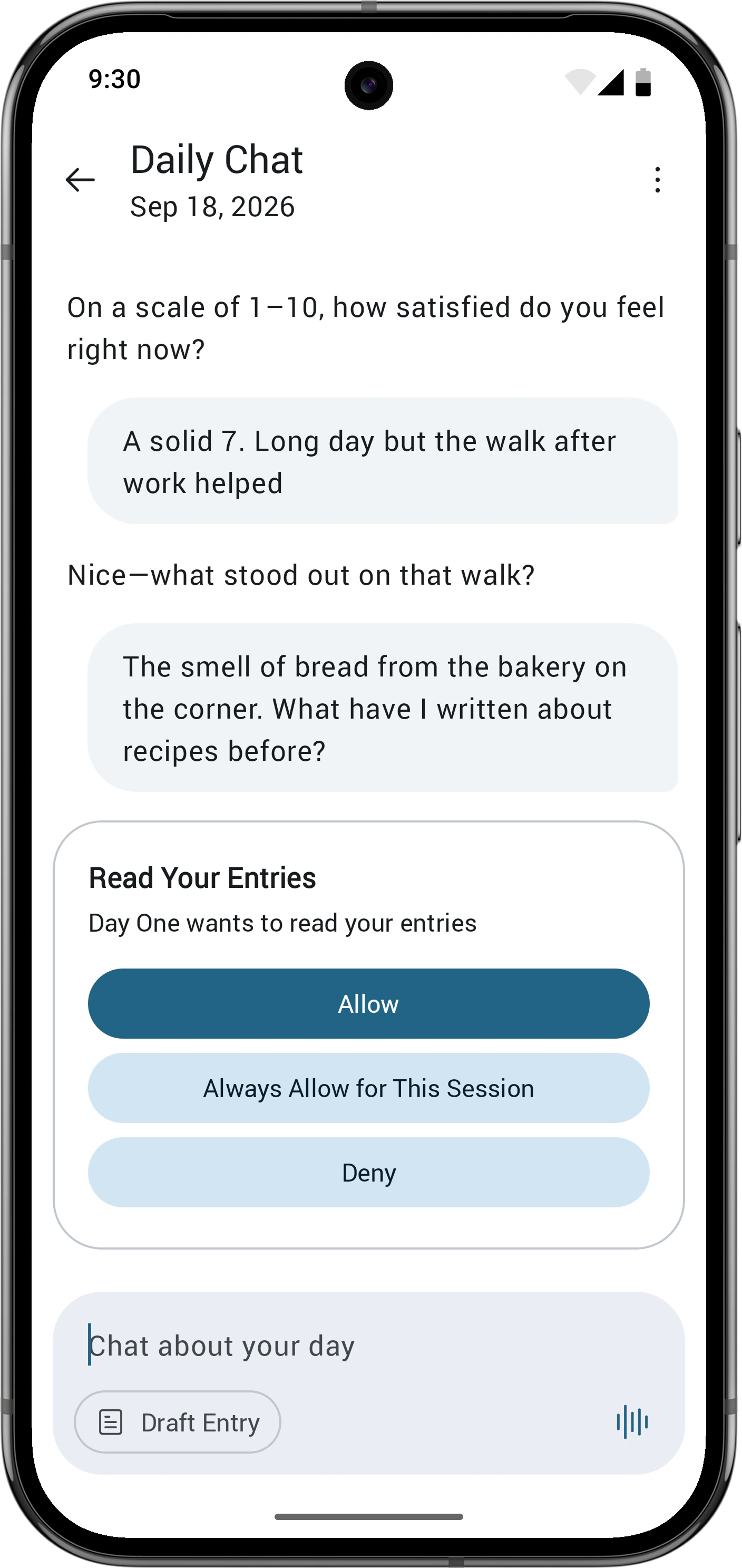
I wanted people to explicitly agree before the AI read anything outside the current chat. The permission card offers allow once, allow for this session, or deny. Session access resets when you leave the chat. Typing another message also declines the request, so you can carry on talking.
I first gave search and read separate permissions. After I added chaining, a single question could trigger a search followed by several reads, each asking for approval. Having to accept the same kind of request over and over was annoying.
I changed it to a shared permission: “Day One wants to read your entries.” Declining lets the conversation continue without that information. The AI won’t try again unless asked. Opening an entry doesn’t send its contents to the AI, so that action needs no extra approval.
Testing caught another problem. Search results could end up in AI memories, which meant the AI could recall journal content later without asking permission again. I excluded tool results from memories so it has to retrieve that content with a fresh permission check.
Every tool shows a status line in the chat. At first, each search query added another line. I grouped consecutive calls to the same tool into one to keep repeated searches from filling the conversation.
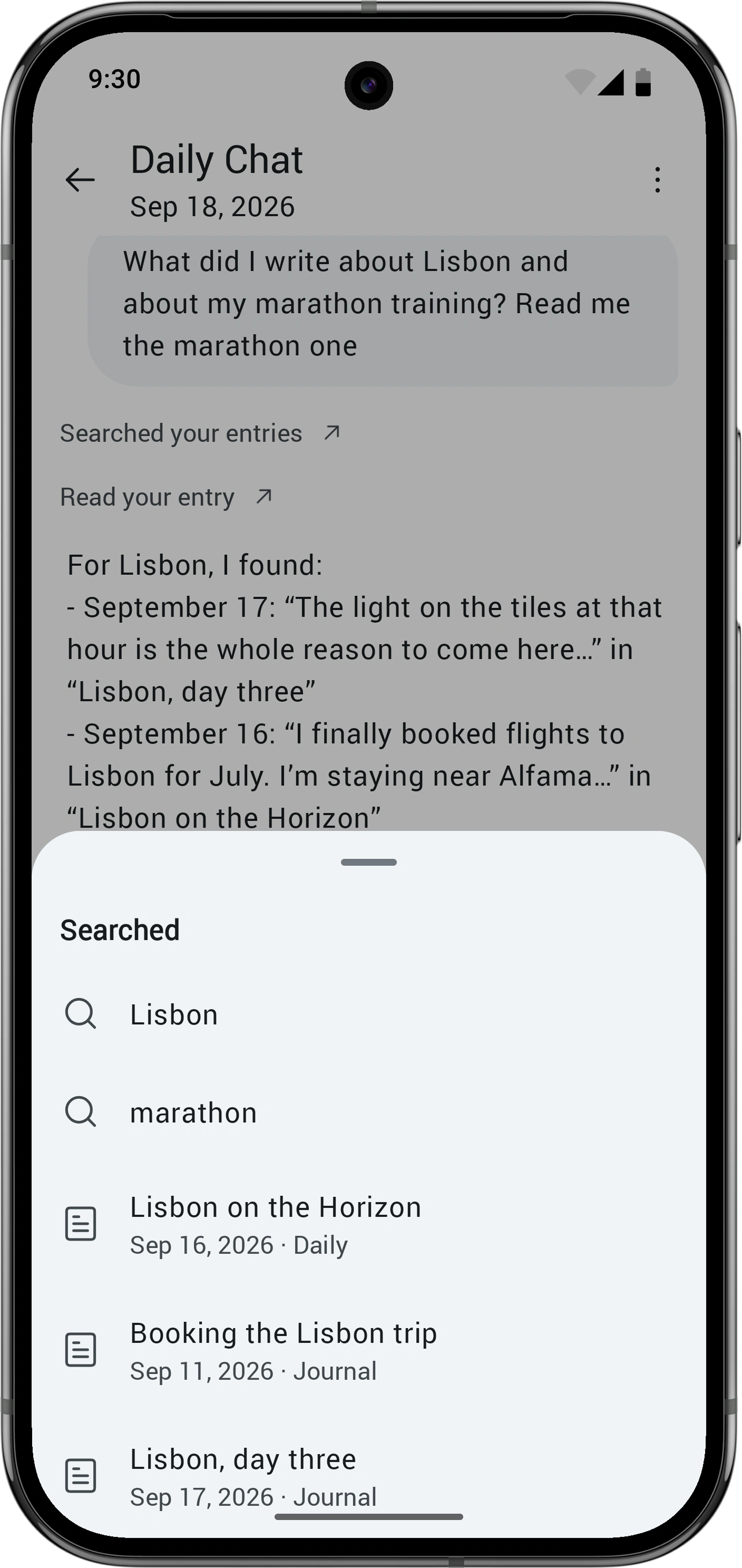
Tapping a search or read status line opens a source sheet. It lists the queries and entries the AI used, combining sources when there were several searches. You can open an entry directly from the sheet.
I initially removed search snippets from the conversation history after the next message to save space. That made follow-up questions worse: the AI would search again for something it had just found. The results took up about 1% of the context window, so I kept them in the history.
The old voice mode took over the screen, but people wanted to see a transcript. I moved it into the chat so you can read the conversation while you speak.
With the transcript visible, the status text became another thing to read. I replaced it with an orb that shows whether the app is listening, thinking, or speaking. You can notice the change while keeping your eyes on the conversation.
The orb is blue when you’re speaking and purple when the AI speaks. While it thinks, the orb becomes a spinning flower, giving that state a different shape as well as colour.