We had a month to rebuild Day One’s Android editor. It used Aztec, an HTML-based rich text editor whose interface didn’t follow Material 3. One Android developer and I rebuilt it as a native experience, covering every formatting option and attachment type.
I worked on the design and engineering, from reorganising the formatting controls to giving tasks like dictation their own sheets. We also added voice commands so people could move through an entry and edit it hands-free.
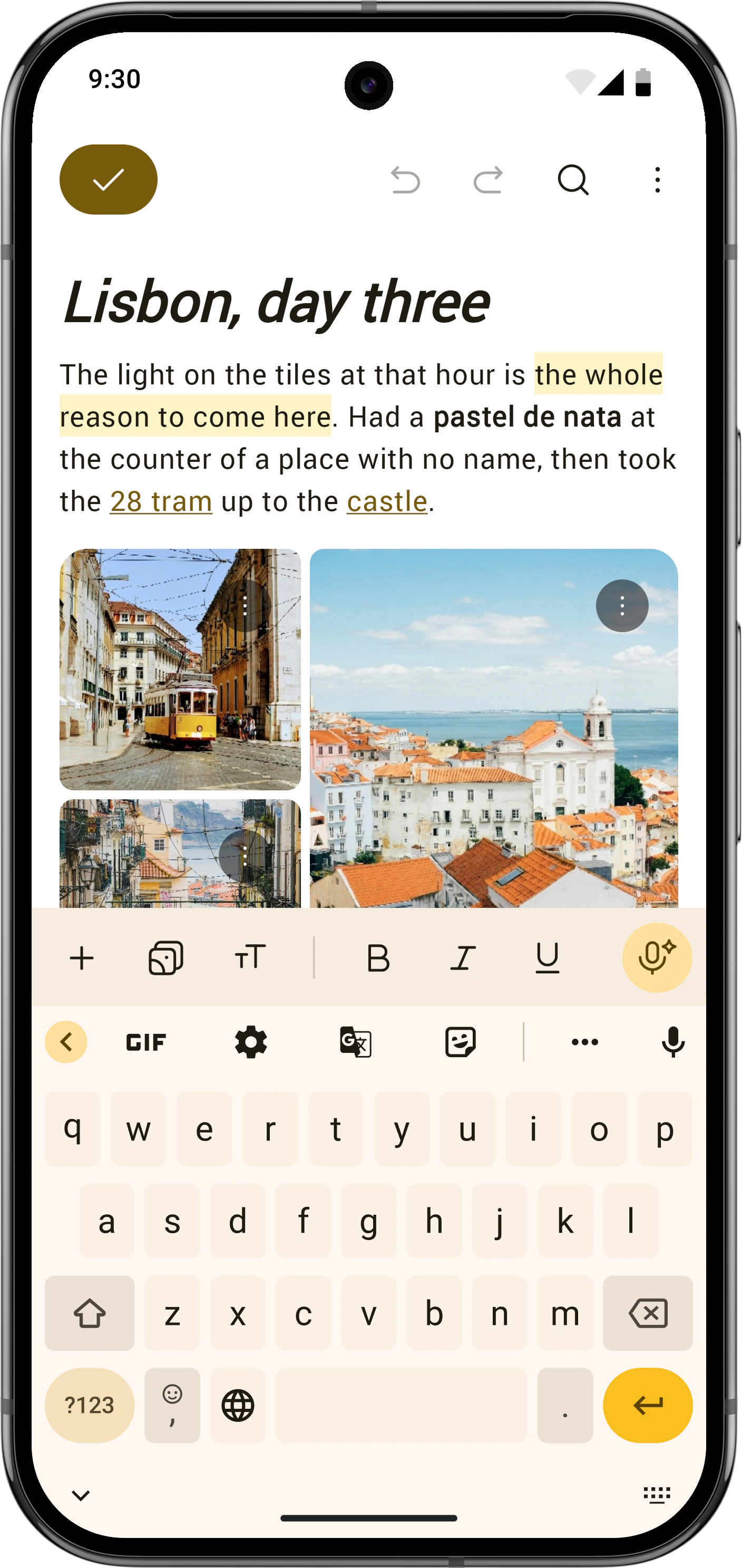
Aztec kept all the formatting options visible in a scrolling bar above the keyboard. You had to look through them even when some had nothing to do with what you were editing.
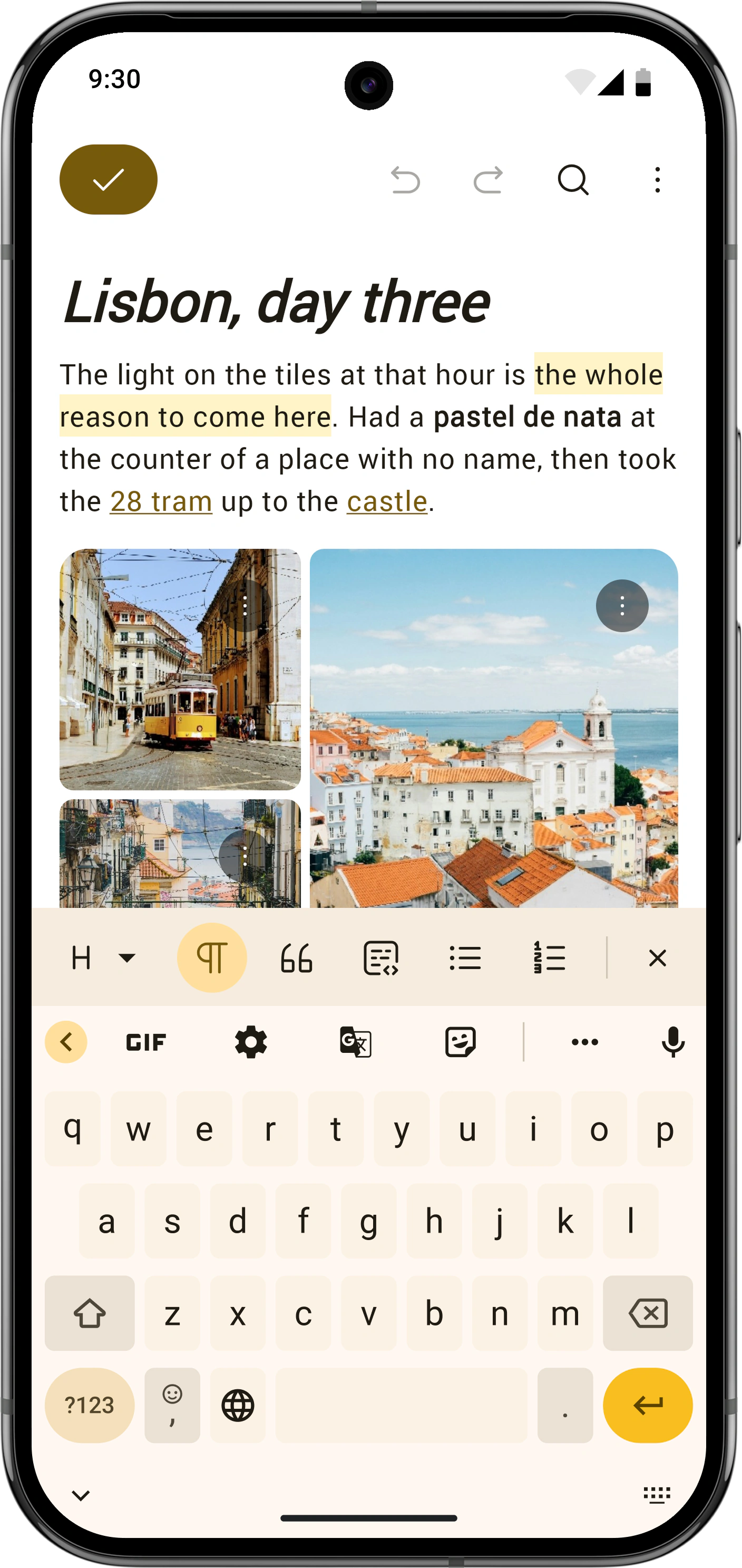
I kept common actions in the main toolbar and made the formatting controls follow the selection and cursor position. Text formatting disappears on media blocks, and indent controls only appear in lists. The Aa bar holds options for the structure of the entry, like headings and lists.
Selecting text switches to a selection bar with text styling, link, and colour controls. Attach, Media, AI, and Voice stay hidden until the selection clears. I wanted people to have less to scan while working on a piece of text.
| Control | Always on | Depends on caret |
|---|---|---|
| Attach (+) | ||
| Media | ||
| AI | ||
| Aa formatting | ||
| Voice control | ||
| Bold / Italic / Underline / Strike | ||
| Highlight / Colour | ||
| Inline code | ||
| Link | ||
| Open link | ||
| Indent / Outdent | ||
| Heading picker | ||
| Body / Quote / Code block | ||
| Bullets / Numbers / Checklist | ||
| Horizontal rule |
“Always on” refers to the normal toolbar; selection and caret rules still apply. Open link requires a selection on an existing link.
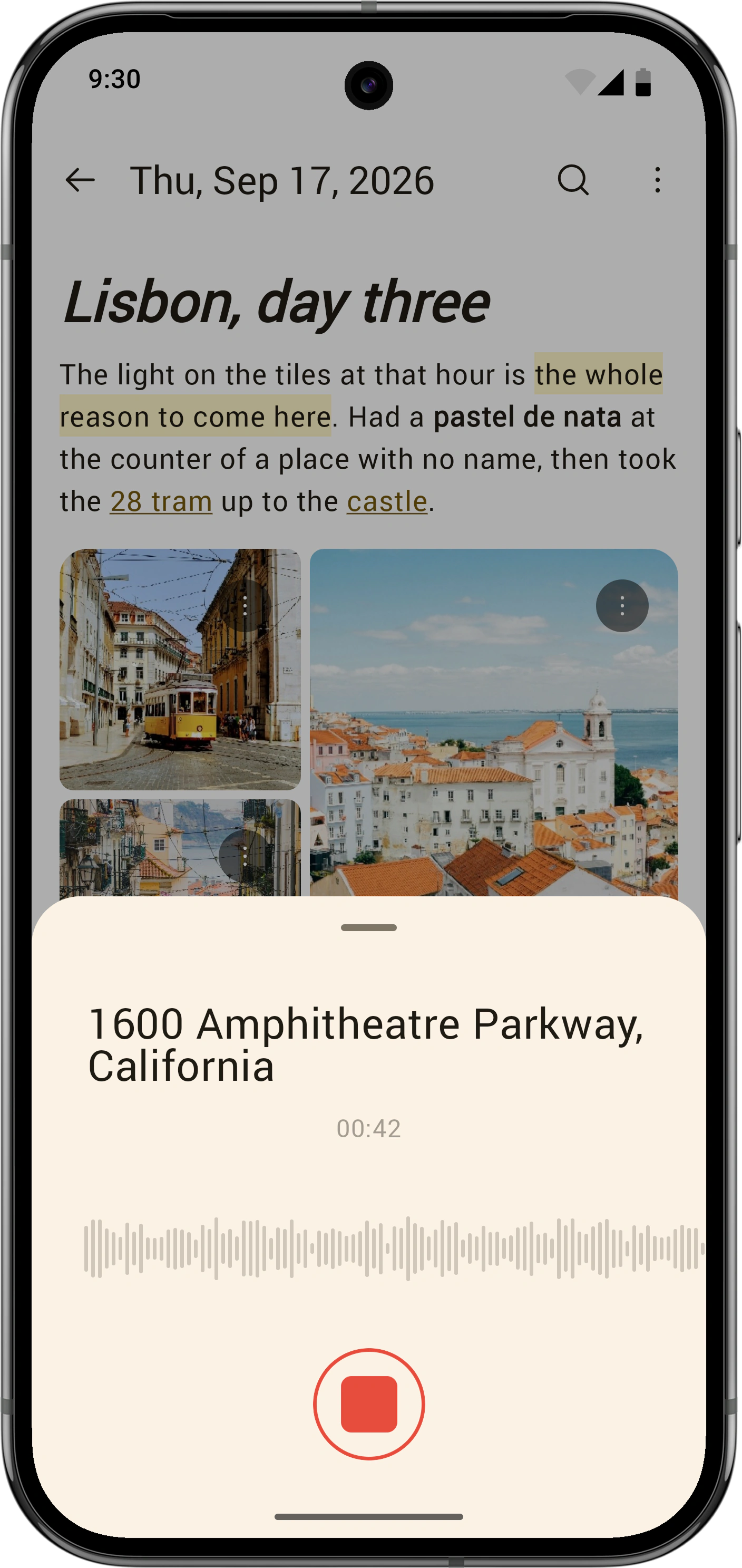
The old editor used menus for some tasks and handled others directly in the entry. Dictation, for example, put words straight into the editor as you spoke.
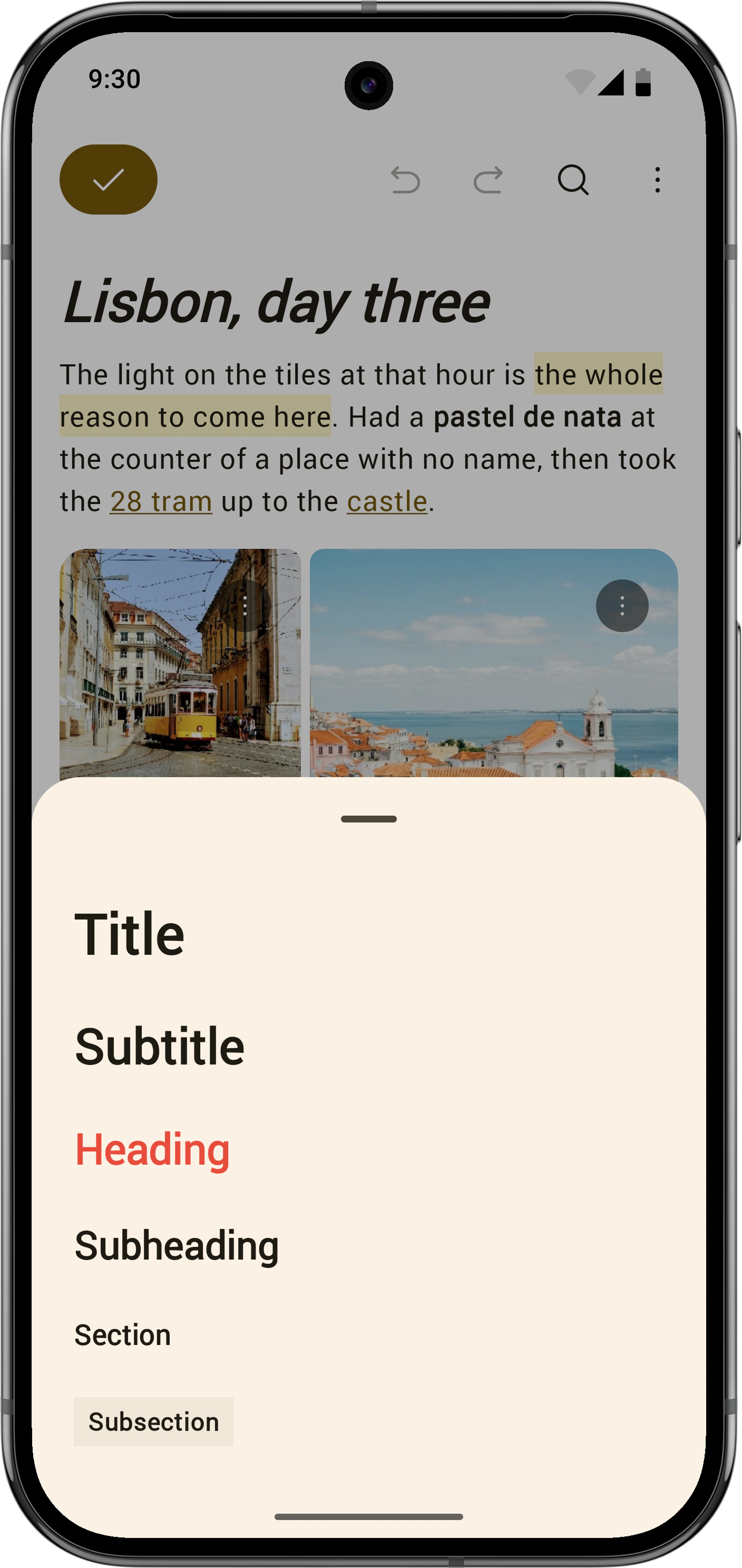
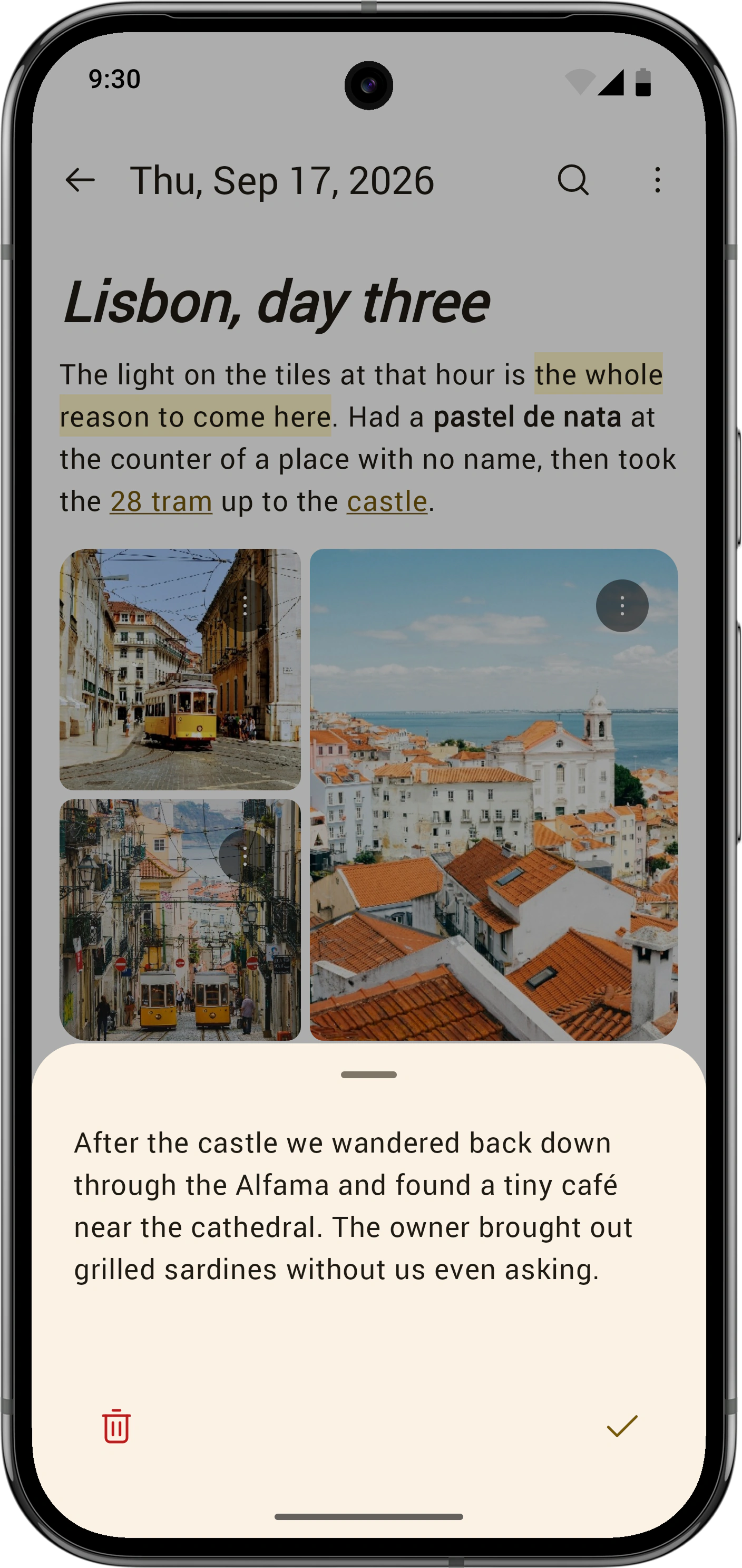
I moved these tasks into Material sheets. Choosing a heading, dictating text, or recording audio happens over the entry, which stays visible behind the sheet. Each task has room for its own controls.
I wanted the editor to feel suspended while you did something else. Closing the sheet brings you back to where you were, with the selection or attachment you’ve just made. With dictation, you can review the text in the sheet before accepting it.
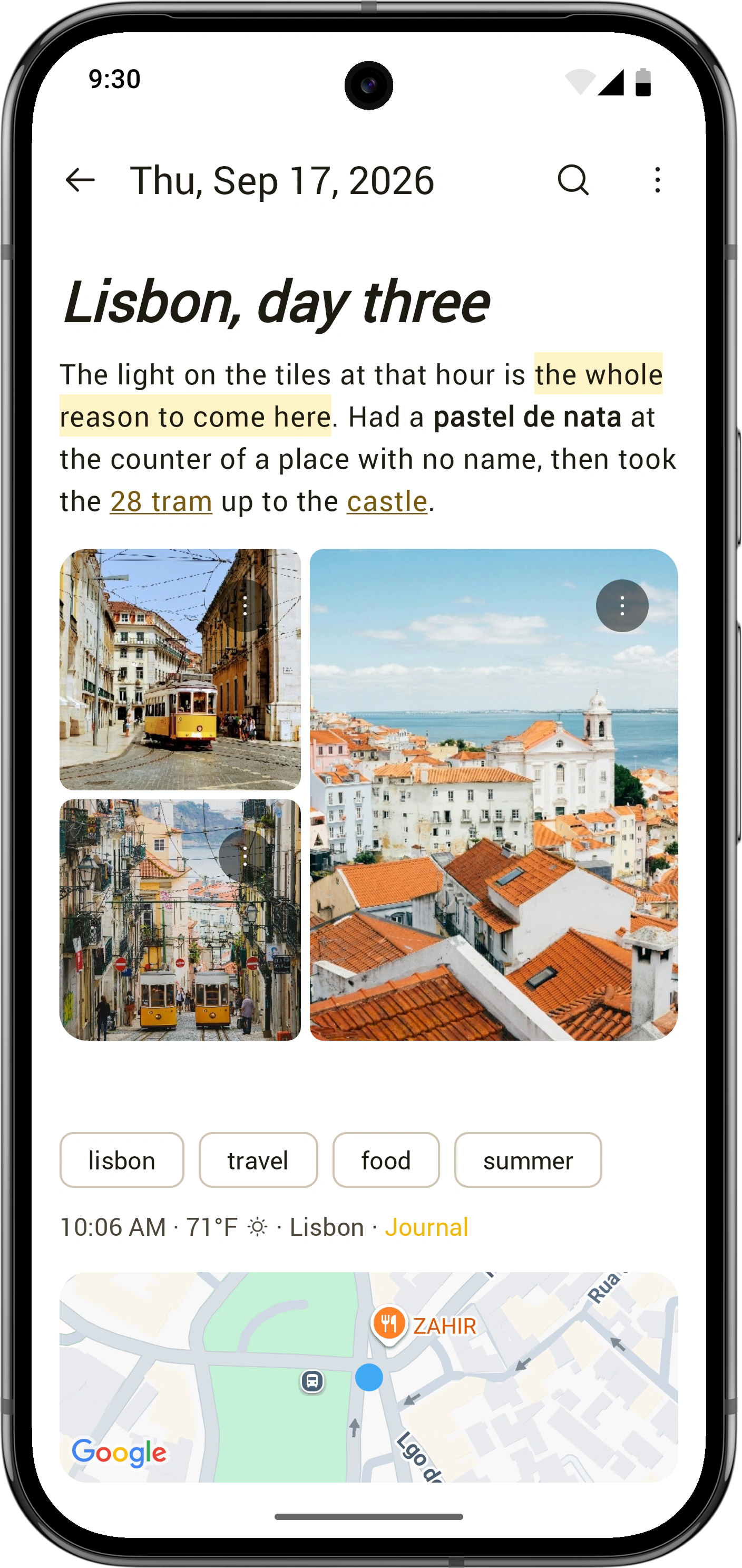
The old editor was always in edit mode. People reported being unsure whether their changes had saved when they left, even though the app was already saving them.
I separated writing from reading and put a prominent checkmark in the top corner while editing. Tapping it finishes the edit and returns you to read mode. It gives people a clear way to say they’re done with the entry.
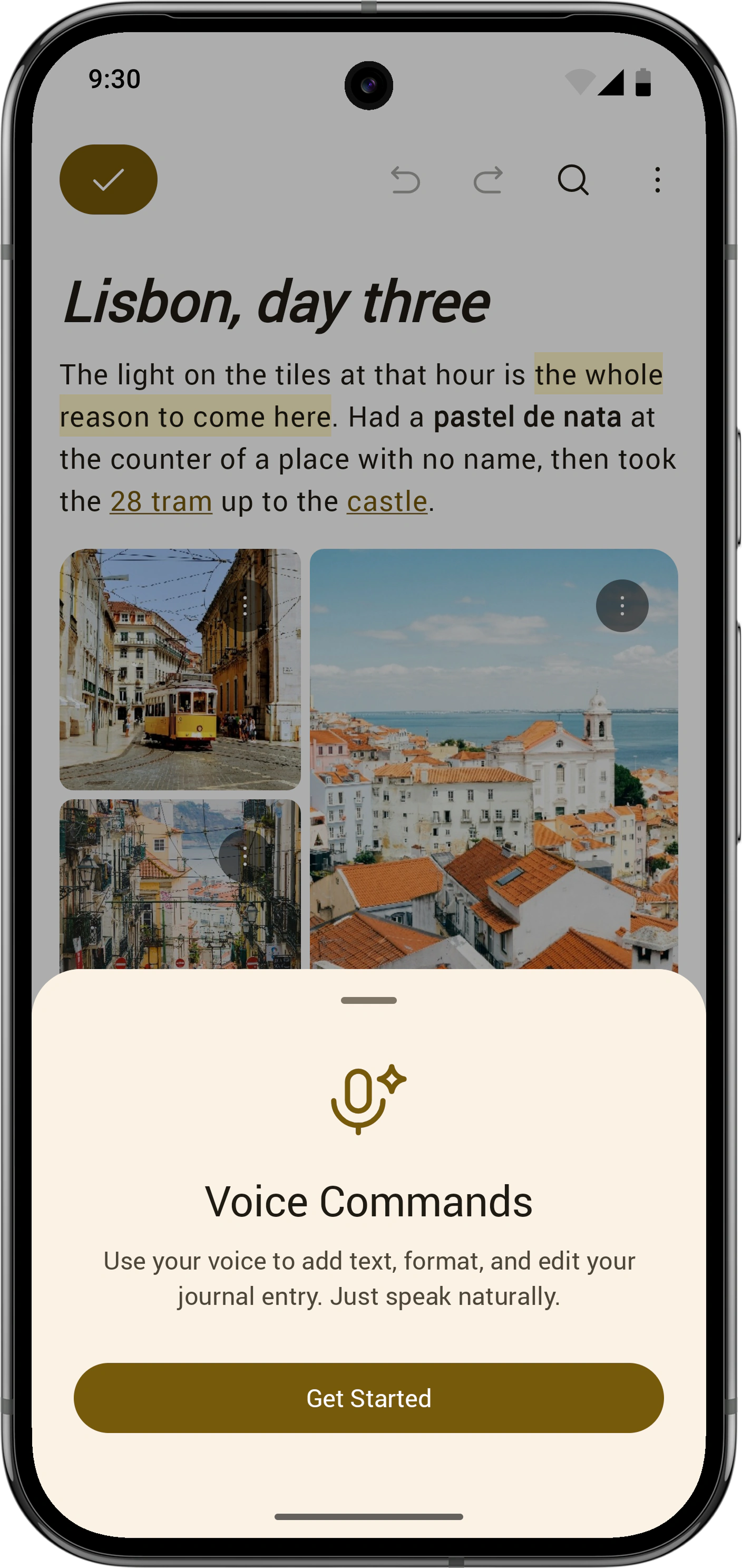
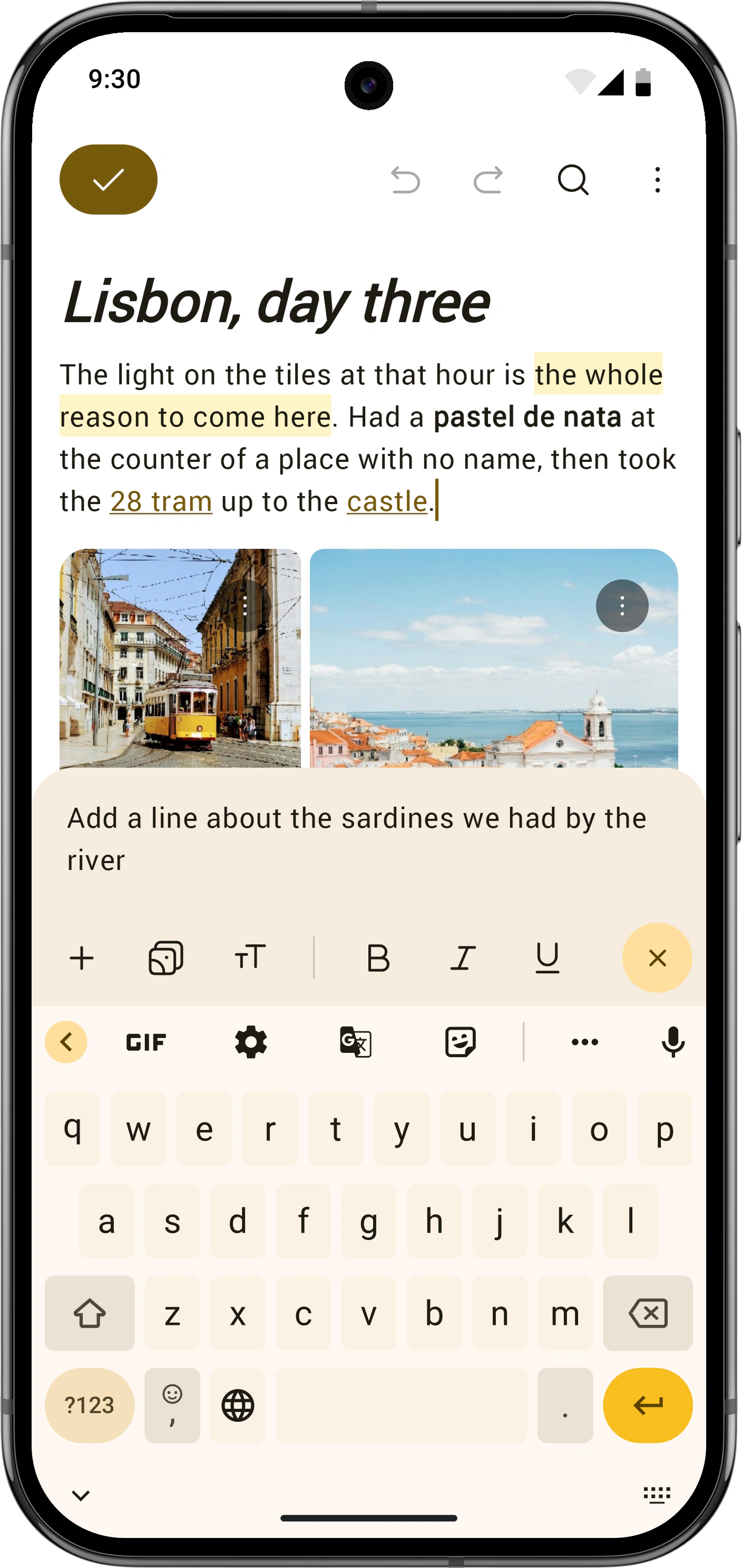
We also added voice commands for using the editor hands-free. You tell it what to do, and the AI acts on the entry without replying in a chat.
I designed the loop that lets it carry out a command over several steps. It can read and search the entry, find the part you mean, and make an edit. That lets people move around the entry and change existing text as well as add new writing.
The entry itself shows the result. Keeping the interaction there meant people could watch their changes appear as they gave commands.
Vojta and I spent a month working together on the rebuild. I worked across design and implementation, so we could make a decision about the interface and get it into the app the same week. We shipped the work in stages while people kept journaling.
By the end of the month, 37 of my pull requests had been merged: 32 in the Android app and five on the backend. Working this closely with an engineer let me carry the design decisions through into the editor people actually used.
“He's probably the best designer I've ever worked with. As an Android developer I appreciated his knowledge of the platform and that he treated all platforms as equal. I feel like we could work together instead of against each other and the result reflected that.”